Make Dashboard and Pricing of Workflow Automation
 Von Manuel Gick·Zertifizierter Experte für KI & Automatisierung
Are you a beginner with Make and want to learn how you can build workflow automation?
What is Make?
First, what is Make? Make is a workflow automation platform based on no code. So it has a visual builder where you can simply connect different systems with each other. Based on that you can automate your business.
What does Make look like?
When we look first at Make, what do we see? We see this kind of dashboard.
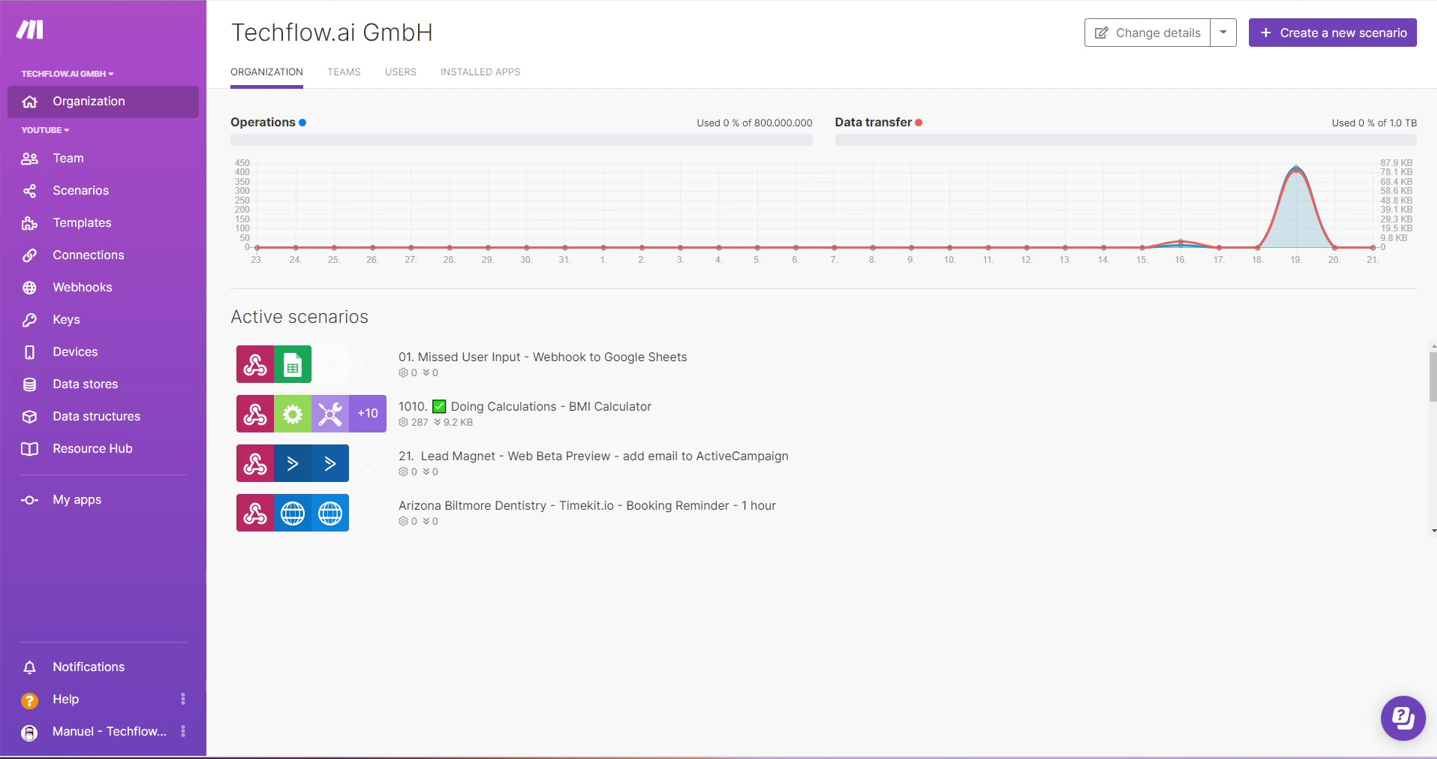
We see a few scenarios, we see how many operations have been used. On the left side is the Organization and Teams depending on the pricing plan you're on and mainly what we are going to work on in our scenarios.
What is a scenario?
A scenario is basically one workflow automation that you can do and create.
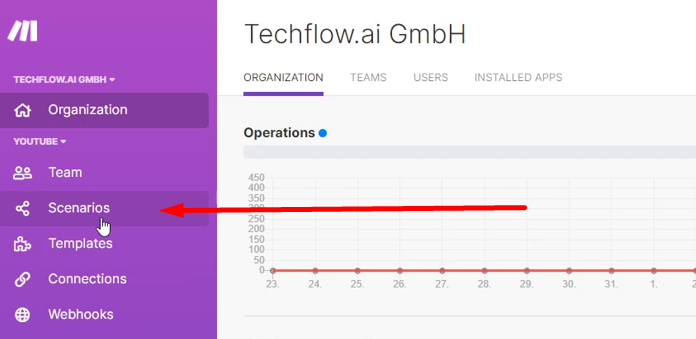
If you go to Scenarios on the left side, you can see all the scenarios.
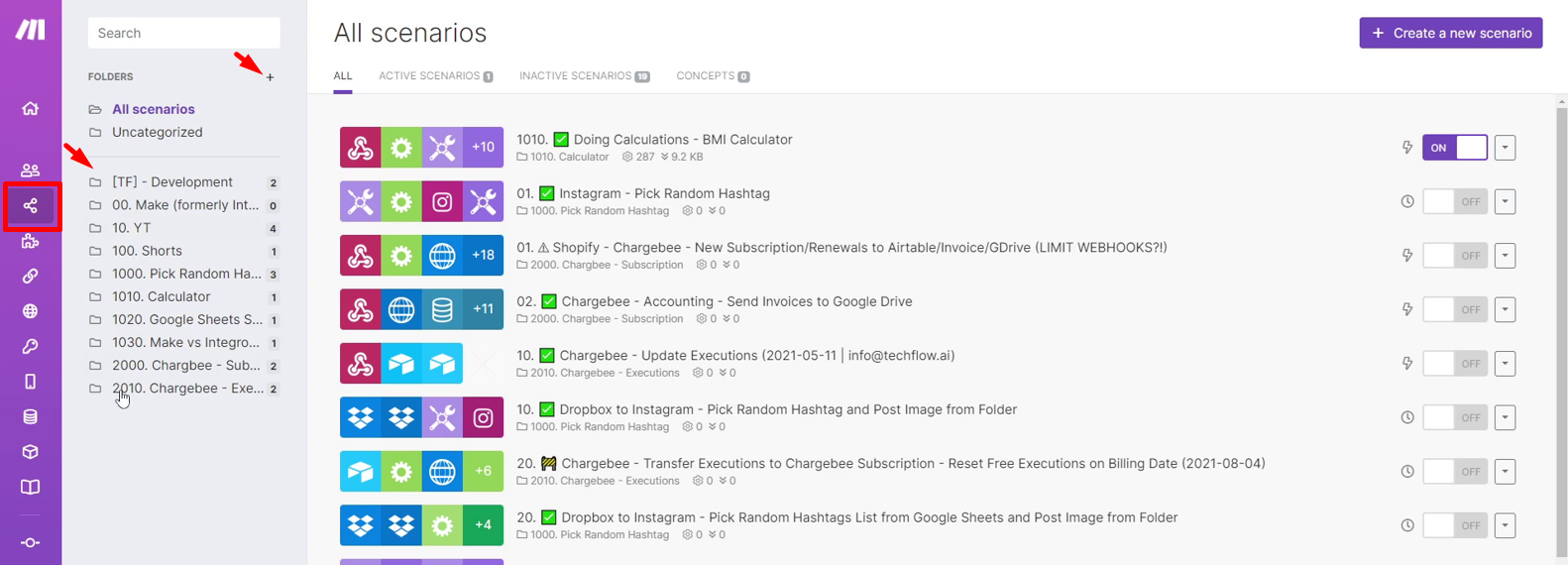
You have the folders on the left side where you can click on a folder or create a new one. There you can create a new scenario. We will talk more about scenarios in the next blog.
How much is Make?
For now, let’s talk a little bit more about the pricing. The price of workflow automation is very important to consider.
The pricing of Make comes in the following.
Free
Core
Pro
Teams
Personal use
Personal use, Solopreneurs, Freelancers
Start-ups, small businesses and Make Professionals
Scale-ups, small-medium businesses Agencies
$0/mo
Free but worth it
$9/mo
Billed annually
$16/mo
Billed annually
$29/mo
Billed annually
1,000 Operations/mo
10,000 Operations/mo
10,000 Operations/mo
10,000 Operations/mo
FREE plan features
- No-code workflow builder
- 1000+ Apps
- Custom Apps
- Unlimited Users
- Two-factor authentication
- Parallel scenario execution
- Real-time execution monitoring
Additionally to FREE
- Unlimited number of active scenarios
- Min. 1 minute interval between scheduled scenario executions
- Access to 300+ Make API endpoints
Additionally to CORE
- Full-text execution log search
- Operations usage flexibility
- High priority scenario execution
Additionally to PRO
- Scenario execution by priority
- Teams and Team Roles
- Create and share scenario templates
We have the Free Plan which gives you 1000 operations per month.
How do operations count? I will talk more about that one in one of my future blogs.
The Free Plan comes with 1000 operations per month and it includes the no-code workflow builders. It includes 1000+ apps, custom apps, unlimited users, two factor authentication for extra security, parallel scenario execution, and real-time execution monitoring so you can see in real time what is happening inside your scenarios. So that's pretty cool. It comes free, without cost so just sign up, try it out.
Next is the Core Plan. This plan comes with 10,000 operations per month and you get an additional unlimited number of active scenarios, and a minimum of 1 minute interval. This means, for example, if you want to check whether a new email has arrived in your inbox with specific keywords or from a specific sender and do some automation, then with this feature you can check it every 1 minute. Another feature is the 300+ Make API endpoints where you can automate the automation which is super powerful.
The Pro Plan is $16 per month. This is billed annually. You get 10,000 operations again per month and some more features in addition to the Core Plan features. There’s full text execution log search. There’s also the operations usage flexibility, which means if you have an annual plan with 10,000 operations per month totaling to 120,000 per year, you can actually allocate the operations, however you need them throughout the whole year. You can use all 120,000 operations in December. You don't have to spend 10,000 operations each month. You can allocate them whenever you require them. Another feature is the high priority scenario execution. This means if there is a lot of data coming in, yours will be prioritized and processed first.
Then last, but not least, is the Teams Plan. The Teams Plan at $29 a month billed annually with 10,000 operations. This has the teams and the teams roles. This gives you an additional layer of connections, connections of user permissions, user roles and really helps you to distribute or determine who gets access to what in your Make account. This makes sure that only those who are supposed to have access to certain scenarios are allowed to see them. Furthermore, you can also create and share templates internally and externally on the Teams Plan.
This is a horizontal version of a more detailed overview of the prices and number of operations.
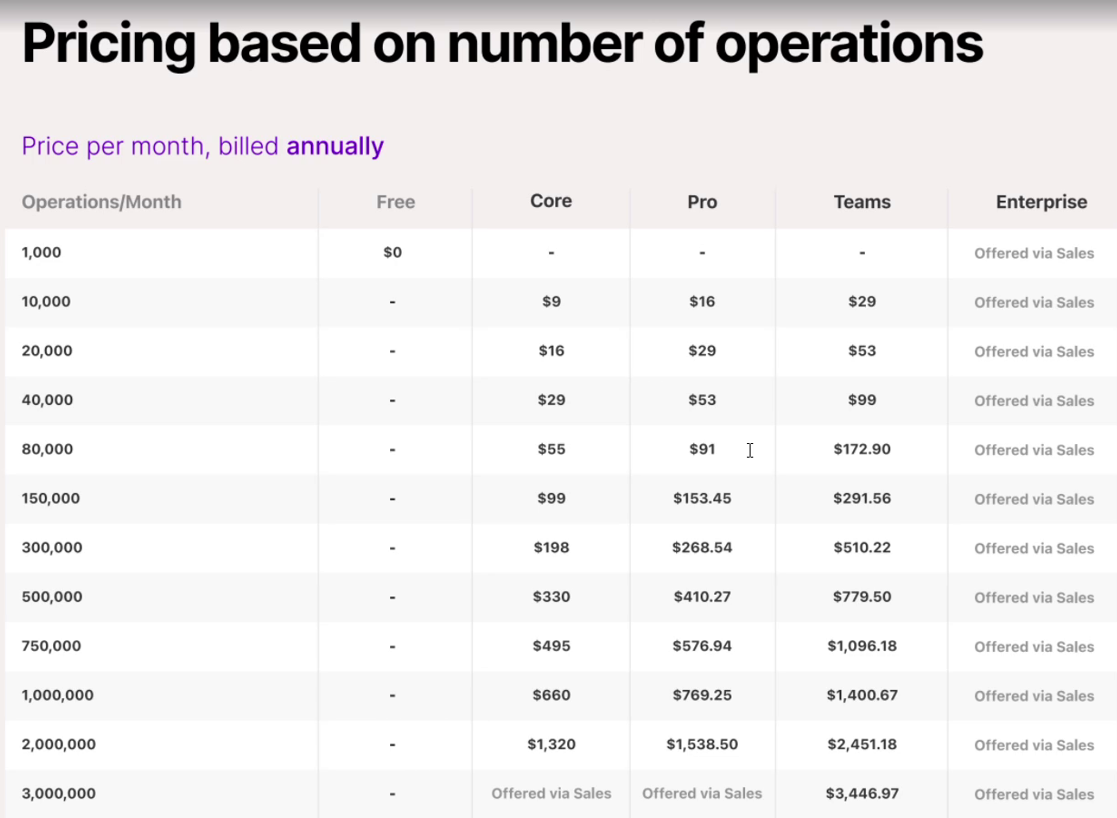
I highly recommend you just start out with a Free Plan or you start out with my affiliate link, and you get one month of the Pro Plan for free. You will be able to test it out and after that month it will automatically be downgraded to a Free Plan, so you get the chance to test it first.
If you are currently switching, or you already have an Integromat account which is the version before Make, then you can upgrade your account to the legacy plan on the Make platform. This gives you access to the Core Plan which is like the second one after the Free Plan and the same amount of operations you had on Integromat and at the same cost. That is super helpful!
Thank you for reading.